
SFX Clicks When Volume Changes? Separate Asset Noise from Gain Jumps
If a click appears only when volume changes, keep the sound fixed and inspect gain handling before regenerating the asset.

The effect sounds clean until someone drags the volume slider. Keep the same file and note when the click occurs: at a repeatable position inside the asset, or alongside a control change? Those observations lead to different investigations.
Confirm the actual gain path
The MDN GainNode reference explains that gain multiplies input samples and warns that an instantaneous change can produce unwanted clicks. It recommends AudioParam interpolation for changes. First establish that the receiving application uses this Web Audio path.
This does not define volume controls in every engine or prove the cause of your noise. No current Tooliva fault or automation-editing interface is asserted here.
Compare fixed and changing gain
- Keep the selected variant and original export, player and output device unchanged.
- Listen to the same passage at a fixed level and note whether the click remains at the same asset position.
- In a controlled test copy, change volume while recording the operation time, real parameter path and automation events.
- Have the audio owner inspect other processing in the output chain before assigning a cause.
This is a proposed experiment, not a recording or acoustic measurement performed here. A click aligned with a control change is a clue, not a substitute for inspecting calls and data.
Define what repeated input should do
If the evidence identifies an abrupt gain change, the integration owner can select an appropriate interpolation method using the real parameter timeline. Include rapid dragging, muting and unmuting in the design so that older scheduled changes do not unexpectedly override a newer target.
No universal ramp duration or production-player implementation is supplied. Accept the audible response and the control behavior together; adding a ramp alone is not proof of a successful integration.
Keep file defects on a separate branch
If the click stays at one file position during fixed-level playback and different control timings, inspect the actual file, edits and source processing. If it appears only at a loop return, record that boundary separately. Avoid changing speed, loop markers and gain simultaneously.
Gain smoothing is not a cure for every noisy asset. Regenerating an effect likewise does not repair a player's parameter handling.
Accept the required control paths
Retain one version from the SFX tool. Check a fixed level, one adjustment, continuous dragging, mute and unmute. A good tool audition does not validate volume handling in the receiving game.
Record actions, expectations, observations and untested cases. Do not invent noise amplitudes or latency statistics without evidence. Return to generation when the investigation identifies a source-asset requirement.
Recommended tools
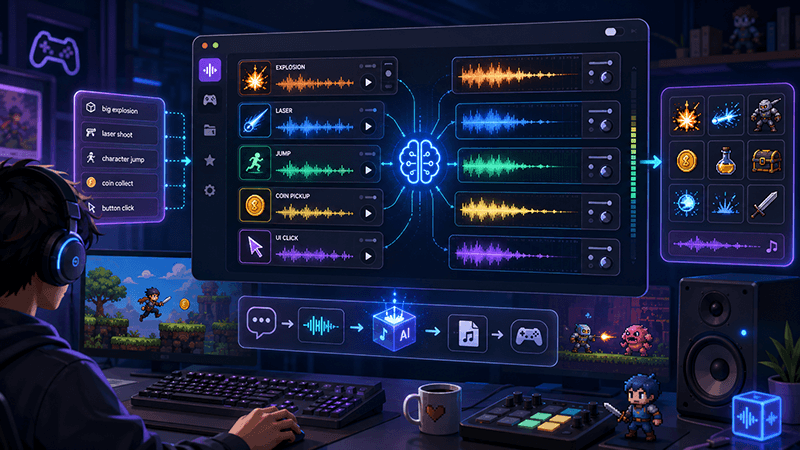
AI Game SFX Generator: A Practical Guide for Indie Game Developers
Learn how an AI game SFX generator helps indie developers create fast, usable sound effects for UI, coins, weapons, magic, horror, retro games, and rapid prototypes.

AI SFX Generator vs Sound Library: Which Is Better for Game Audio?
Compare AI SFX generators and traditional sound libraries for indie game audio. Learn when to generate custom effects, when to use libraries, and how to combine both workflows.

Best Sound Effects to Create First for an Indie Game Prototype
A practical checklist of the most important game sound effects indie developers should create first, including UI clicks, pickups, hits, rewards, errors, transitions, and completion cues.
Ready to try "SFX Clicks When Volume Changes? Separate Asset Noise from Gain Jumps"?
Use our online tools to apply this tutorial to your indie game project right away.