
Check the Source Selection Before Redrawing a Clipped Spine Part
Use three inspection layers—source artwork, selected part, and motion—to choose between correcting a selection, adjusting placement, and requesting a redraw.
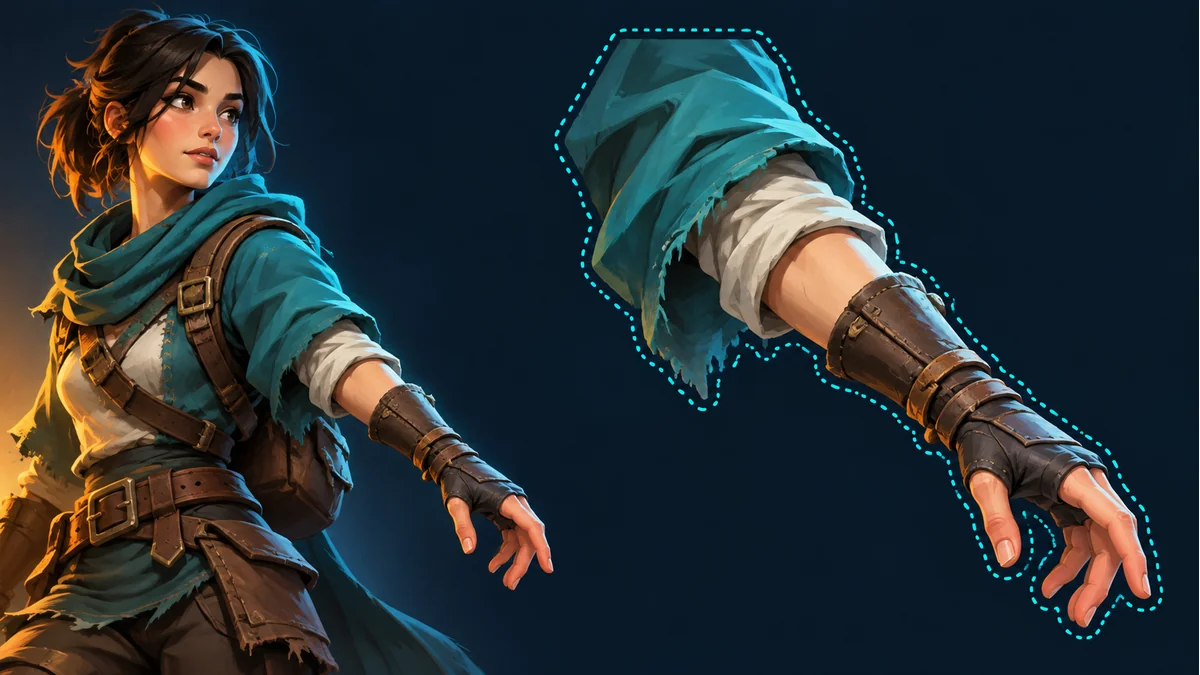
The cover is an AI-generated outline concept. It is not a pixel-matched source-versus-cutout comparison or evidence of the product’s segmentation accuracy.
A missing cuff may be absent from the source artwork, or it may exist there but fall outside the current selection. Those situations need different responses. Establish whether the pixels you need are present in the available source before deciding to adjust the boundary or request new artwork.
This article focuses on the original-image selection workflow demonstrated in the Spine Workbench guide. It does not cover automatic sprite-detection thresholds or assume that selection can recover hidden artwork that is not visible in the source.
Separate the source image from the current part
In Spine Workbench, confirm the resource and the exact part being inspected. Identify the incomplete region in that part, then find the corresponding region in its source. A different character candidate, another resource, or the opposite arm is not a substitute for that source.
- The source contains a complete cuff but the part does not: inspect the selection first.
- The source itself lacks the cuff, hides it, or contains no suitable connection area: changing a selection is not the same as painting it.
- The outline is complete but appears misplaced in motion: inspect orientation, size, and placement during calibration.
These are starting points, not a claim that every problem has only one cause. Resolve one clearly observable difference before choosing the next action.
Check unwanted inclusions as well as missing regions
Open the documented original-image selection and assignment workflow. Confirm the selected part, then inspect its outline using the direct selection or pen selection methods actually offered by the interface. Look for neighboring sleeves, body artwork, background, or ornaments included accidentally.
For example, a piece of torso clothing attached to the forearm cutout may be hard to notice while the arm rests beside the body. When the arm moves away, that extra artwork travels with it. First establish whether the region belongs to this part rather than moving the entire forearm to hide it.
- Follow the visible outline that belongs to the selected part.
- Consider the connection area in motion, not only the neatness of a still-image edge.
- Do not remove every overlap merely because it overlaps at rest; some connection coverage may be intentional.
- Do not include a large, clearly unrelated region just to reach one missing detail.
Apply the selection, then inspect the same action
After confirming the selection, apply it to the current part as shown in the guide. Return to the same available action on the template and resource. Revisit the original symptom and check whether movement reveals a new gap or extra piece of artwork. A tidy source selection does not establish that the animated join is acceptable.
If the outline is now complete but the part remains displaced, record placement as the next problem. Repeatedly reshaping the selection to compensate for a transform mixes two different tasks. Likewise, scaling or mirroring does not create artwork that the source lacks.
A useful cuff inspection note
A suggested manual note could read: “The current forearm cuff shows a gap during the raised-arm phase. The source contains the complete cuff. This round changes only the part’s selection. After applying it, revisit the same action and check the join and any accidentally included torso clothing.”
This is an example note, not a software field or a reported experiment. Keep the last checks pending until you have actually inspected the result. If the problem remains, say whether the boundary, placement, or source artwork is still unsuitable.
When should the part be redrawn?
Consider rework when you need content absent from the source, or when the material, color, or ornament itself must change. The focused part-rework request guide explains how to state the target and the features to preserve. Available controls and any cost depend on the current interface; this article makes no claim about free retries or selection changes.
Keep three separate outcomes: whether the source contains the content, whether the part’s boundary is appropriate, and whether the result works in motion. That separation makes the next decision clearer when a similar issue returns.
Ready to try "Check the Source Selection Before Redrawing a Clipped Spine Part"?
Use our online tools to apply this tutorial to your indie game project right away.